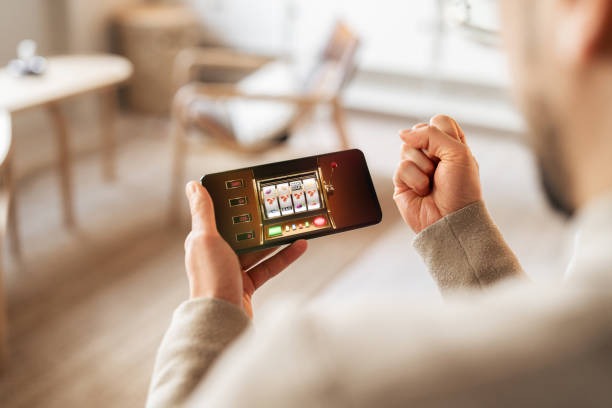
Install smartaoncash on your device
Choose the installation method that suits your device type. Android users can download our APK directly and install it in minutes. iOS users access smartaoncash via Safari or Chrome and save the shortcut to their home screen. Desktop and tablet users load the web version in any modern browser.
Four steps to get started on smartaoncash
- Download: Visit smartaoncash.com on your phone, select your device type, and download the APK or open the web app.
- Install: For Android, open the downloaded APK file and tap Install; for iOS, tap Add to Home Screen; for web, bookmark the page.
- Create account: Enter your username, email, mobile number, and password; confirm your email and phone via SMS verification code.
- Start playing: Deposit via your preferred payment method and access live tables, sports betting, or slot games immediately.

App versus browser on smartaoncash
Our native Android app loads faster and stores live-table video and game data locally, so you can start playing with reduced data usage. Push notifications alert you to Liga 1 kickoffs and Piala Indonesia results without opening the app. The app also caches your account details and game history, letting you view your past bets and balance even if your internet connection drops temporarily. On iOS and web browsers, the mobile-optimized site delivers the same core experience but refreshes your data from our servers on each page load, which uses more bandwidth but ensures you always see the latest odds and balance updates. Both paths use encrypted HTTPS connections; app security is identical to browser security.
Device compatibility for smartaoncash
The smartaoncash Android app requires Android 7.0 (API 24) or higher. Most phones sold in the last five years meet this requirement. On iOS, we support iPhone and iPad running iOS 12 or later. Our web app works on any device with a modern browser (Chrome, Safari, Firefox, Edge) released in the last three years. If your device runs older software, you can still access smartaoncash via the web browser—simply visit smartaoncash.com and log in. Tablet users (iPad or Android tablets) benefit from the app's larger display for live-dealer tables.
Common installation issues on smartaoncash
If your Android phone shows "Unknown sources" warning when installing the APK, open Settings → Security → Unknown sources and enable it temporarily. Once the smartaoncash app is installed, disable it again. If iOS Safari refuses to add the shortcut to your home screen, try opening smartaoncash.com in Safari (not Chrome), scrolling down, tapping Share, and selecting Add to Home Screen. Some corporate or school Wi-Fi networks block app downloads or the smartaoncash domain; switch to mobile data (DANA, e-wallet, or your carrier's network) to download. If the app crashes on launch, clear the app cache (Settings → Apps → smartaoncash → Storage → Clear Cache) and restart. Contact our support team via in-app chat if these steps do not resolve the issue.

Data, permissions, and account security on smartaoncash
The smartaoncash app requests permission to access your device's internet connection (required for all features), camera (optional, for video KYC verification during account review), and notifications (optional, for match alerts). The app does not access your contact list, photos, or files unless you explicitly grant it. When you log in, your session token is encrypted and stored securely on your phone. Your password is never saved locally. If you log out, all session data is immediately deleted. We recommend enabling two-factor authentication in your account settings (found under Security in the app menu) for additional protection. Never share your password or two-factor code with anyone, even our support team. Your balance and transaction history are always encrypted in transit.